Personal calendar
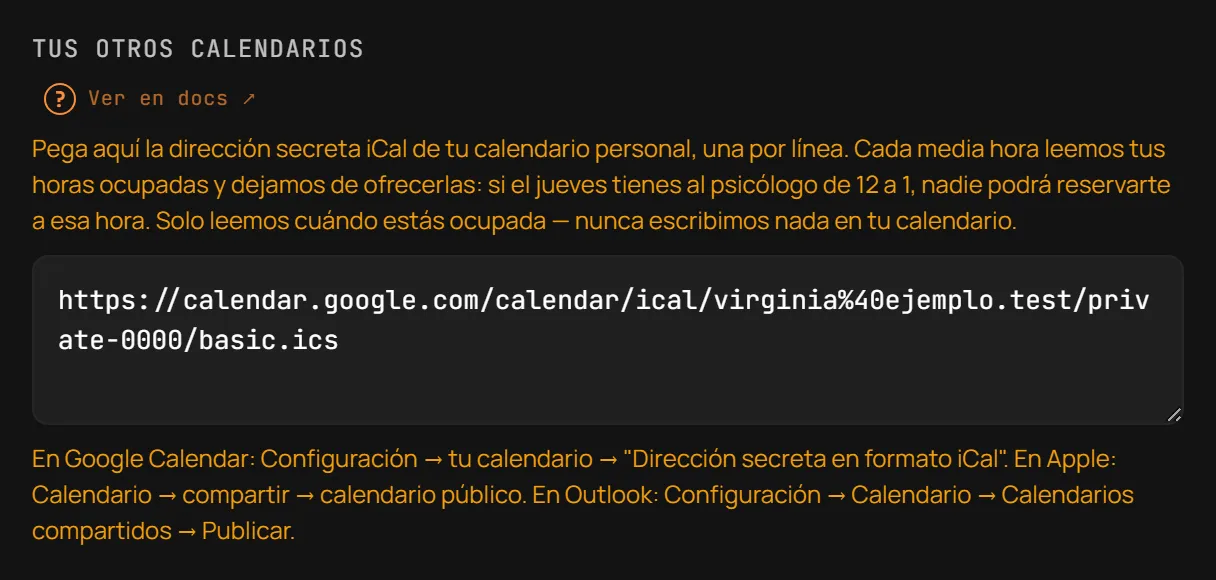
If you keep your personal diary in Google Calendar, Apple Calendar or Outlook, you can connect it to Reserve so your busy hours outside the business stop being offered as bookable slots. This is an Essential-and-above feature; on Free you see it behind a lock.
Connecting a calendar
Section titled “Connecting a calendar”- Open Branding and booking link → Tus otros calendarios (Your other calendars).
- Paste your calendar’s secret address in iCal format there, one URL
per line (up to 5). It has to be a public URL starting with
https://. - Save. Every 30 minutes, Reserve reads those addresses and subtracts the busy hours from availability — it never writes anything to your calendar, only reads.
An imported event shows up in the Agenda marked with ⟳, to tell it apart from a real Reserve appointment.
Getting the iCal address
Section titled “Getting the iCal address”- Google Calendar: Settings → your calendar → “Secret address in iCal format”.
- Apple (iCloud): Calendar → share → public calendar.
- Outlook: Settings → Calendar → Shared calendars → Publish.
Each provider occasionally moves where it hides this option — if you can’t find it where listed above, search your app’s settings for “share calendar” or “publish calendar”.
How it applies
Section titled “How it applies”- A calendar closes the hours of the whole business, for every professional: it is not tied to a specific team member.
- Up to 5 addresses per business.
- Read-only: Reserve never adds or changes anything in your external calendar.
- The read repeats every 30 minutes — an event you just created in your personal calendar may take that long to block the slot.
- You need your calendar’s public
httpsaddress; the steps above explain how to get it.
Última verificación: