Account and cancellation
Reserve uses the same account and the same billing as the rest of Boty — this page covers what’s specific to Reserve. For the general mechanics (team, roles, the Stripe portal), see Account and billing.
The free trial
Section titled “The free trial”Reserve opens with a 14-day trial with everything in Pro, with no card; when it ends your account drops to Free by itself — the general mechanics of how a Boty trial works live in The 14-day free trial. While it lasts, the console shows a countdown of the days left.
When the trial starts you receive a welcome email («Tu prueba de Boty Reserve ha empezado») with the first three steps, your booking link if you have already saved it, and the end date. Three more emails arrive during the trial, on days 3, 7 and 12: how your link looks on your Google Business Profile, how your diary is doing that week, and what Boty Reserve includes with its price. They are service notices about the trial you started, not advertising, and they go to the account owner’s address.
When it ends
Section titled “When it ends”If you haven’t moved to a paid plan, access closes on the day the counter marks, and the console shows “Tu prueba gratuita ha terminado” (“Your free trial has ended”).
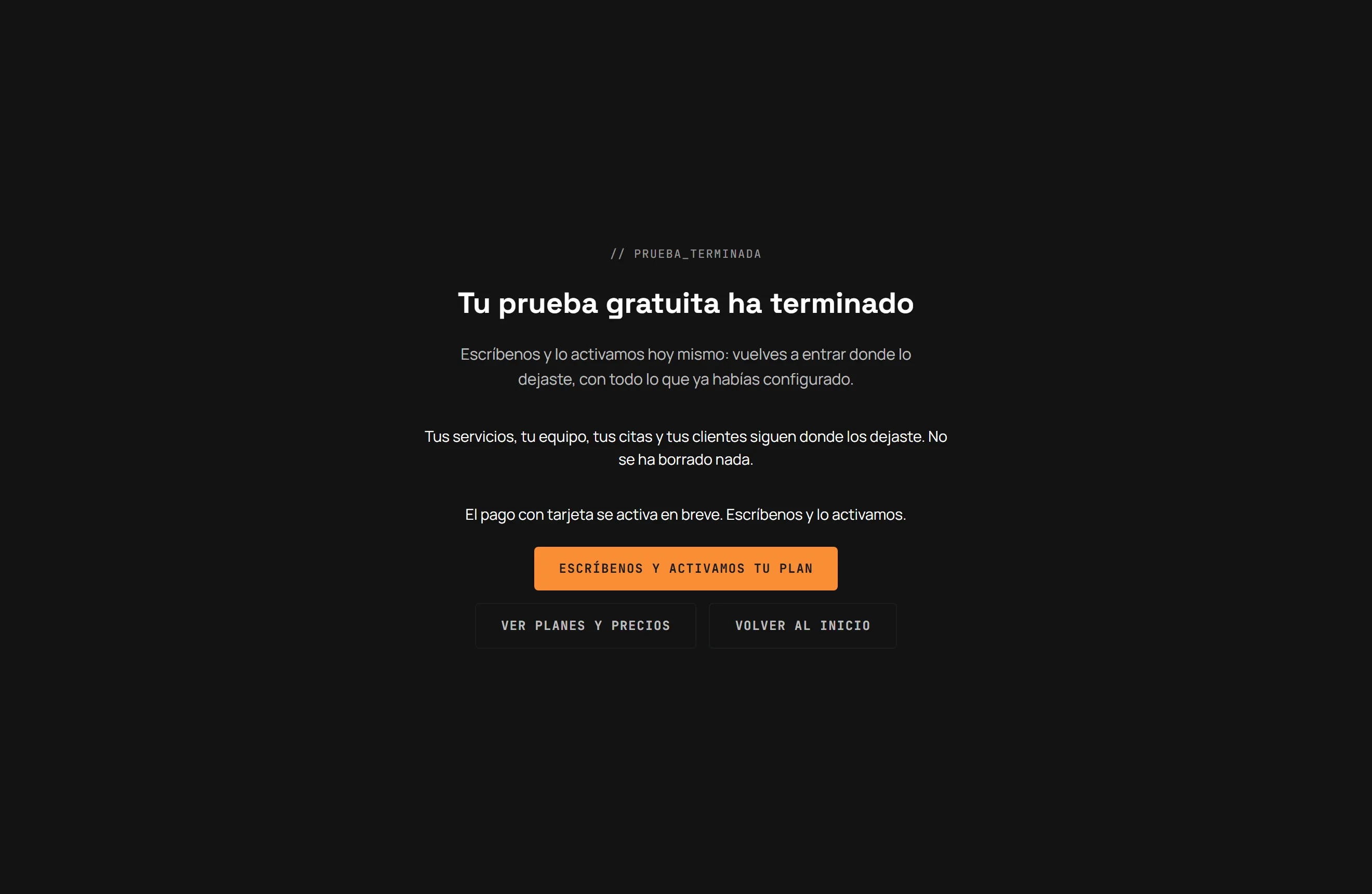
- Nothing is deleted. Your services, your team, your appointments and your clients stay exactly where you left them.
- The screen offers to write to us to activate the plan with you. If card payment is open on your account, you choose it directly from Precios (Pricing).
- A link to Ver planes y precios (See plans and pricing) and another back to the homepage.
Moving to a paid plan
Section titled “Moving to a paid plan”- Go to Precios (Pricing) and pick a plan.
- If card payment is already open for your case, Stripe checkout opens. If not, the page takes you to contact us and it gets activated by bank transfer.
- Once confirmed, you carry on exactly where you left off — nothing in your setup is lost moving from trial to paid plan.
Managing payment or cancelling
Section titled “Managing payment or cancelling”All payment management — changing the card, viewing invoices, cancelling — happens from the Stripe portal, under the billing section of your Boty account. Only the organization’s owner can open it; it’s explained in detail in Account and billing.
Your data and your clients’ data
Section titled “Your data and your clients’ data”Under Consola → Clientes (Console → Clients) you have a read-only list of everyone who has ever booked. Eliminar datos (Delete data — owner/manager) is the GDPR route to erase a client’s personal data on request: name and phone are permanently anonymised, but appointment history is preserved without those identifying values.
Downloading your data
Section titled “Downloading your data”Under Console → Settings → Your data you download a full copy: a JSON with everything (the GDPR Article 20 portability format) or a CSV if you just want to open it in a spreadsheet.
The download stays available even if your trial has expired or the plan is unpaid: it is your information, and a closed billing gate is no reason to withhold it. You will also find the link on the screen you get when the console is locked.
Limits
Section titled “Limits”- Card payment for Reserve may not be active yet for your plan — the screen itself tells you whether to write in or pay directly.
- Cancelling stops renewal; it does not refund the period already in progress.
- Cancelling your subscription does not delete your data: it stays available until you explicitly request its deletion.
Última verificación: