Branding and booking link
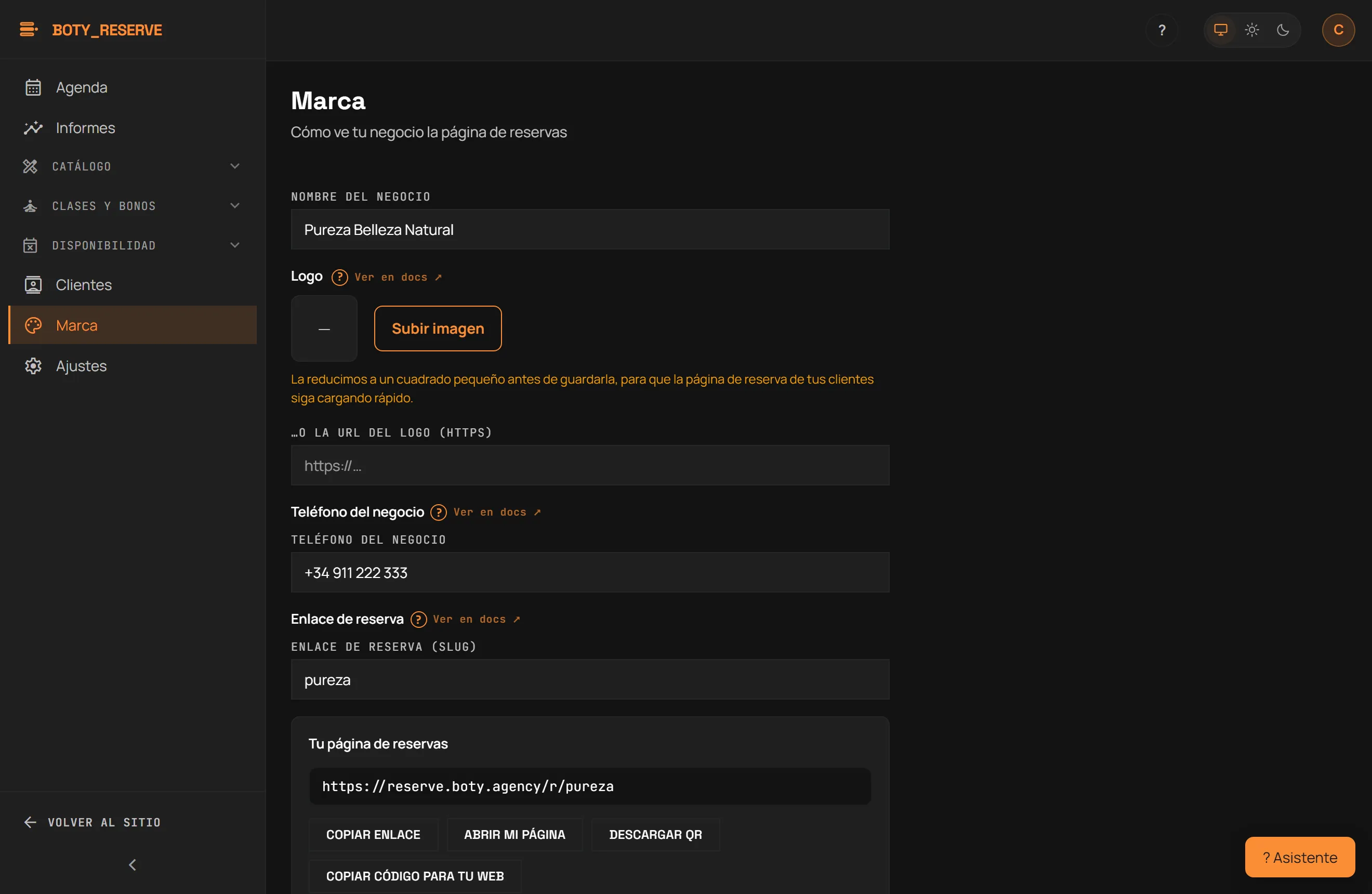
Route: /consola/marca. This is where you set how your business looks
on the booking page, and the link that makes it reachable. Read-only for
the Profesional (staff) role; editable for owner or manager.
Setting up your identity
Section titled “Setting up your identity”- Nombre del negocio (Business name).
- Logo. The “Subir imagen” (Upload image) button accepts PNG, JPEG or WebP and shrinks it to a small square before saving, so your clients’ booking page keeps loading fast. If your logo is already hosted elsewhere, the “…o la URL del logo (https)” field takes a link instead. Quitar (Remove) clears the logo without touching anything else.
- Teléfono del negocio (Business phone), with the country code
(
+34600111222). This is the number your clients see on the call and WhatsApp buttons of the manage-appointment page once they can no longer change it online.
The booking link (slug)
Section titled “The booking link (slug)”Enlace de reserva (slug) (Booking link) is the ONLY thing that makes
your public page reachable at /r/<slug>. Changing it breaks any links
you’ve already shared with clients — the console warns you and requires
an explicit confirmation before saving a different slug. A slug already in
use by another business is refused on save.
Your booking page
Section titled “Your booking page”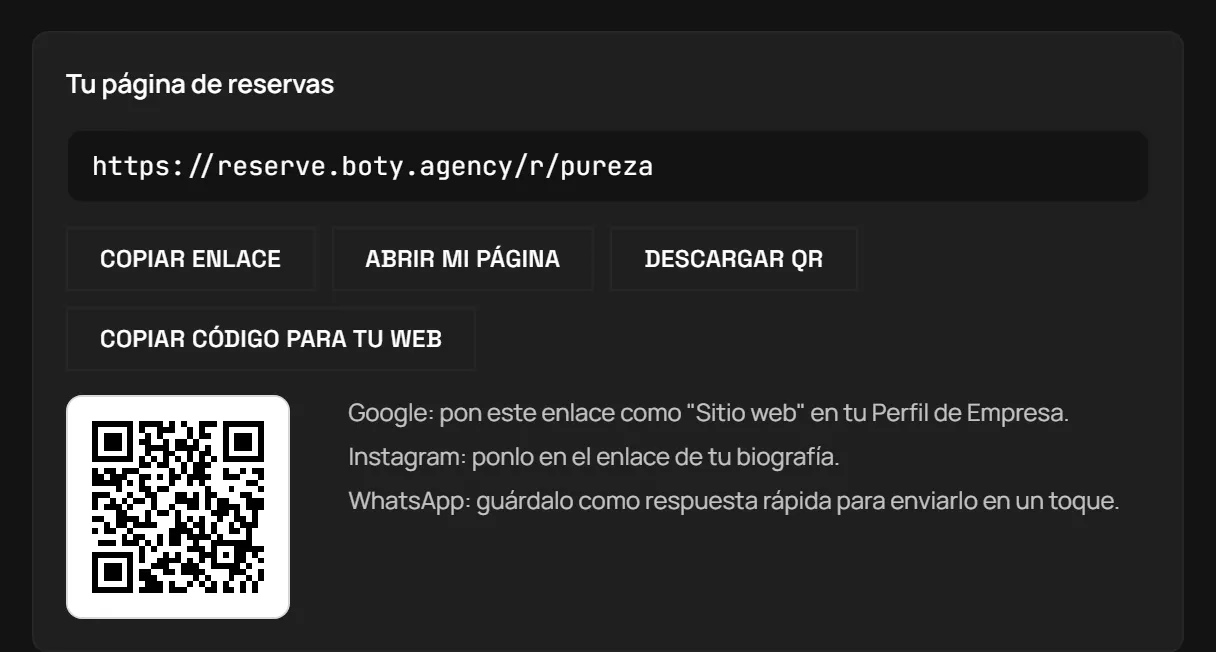
As soon as you save a slug, a block appears with the full URL and four actions:
- Copiar enlace (Copy link) — copies the URL to the clipboard.
- Abrir mi página (Open my page) — opens it in a new tab.
- Descargar QR (Download QR) — an SVG QR code, ready to print at the counter.
- Copiar código para tu web (Copy code for your website) — the code snippet that embeds your booking page on your own site (more detail in Publishing your booking page).
Below the QR, the “Listo para publicar” (Ready to publish) block gives you a ready-written text for WhatsApp, Instagram and your Google listing, each with its own copy button and your link already in it. You can edit it before sending.
Color and the Boty badge
Section titled “Color and the Boty badge”Color de marca (hex) (Brand color) has a native color picker and a live preview — the preview is indicative only; the real accessible color (AA contrast) is recalculated server-side on save, not in the browser.
The “Mostrar el distintivo «Reservas con Boty» en la página de reservas” toggle (Show the “Reservas con Boty” badge on the booking page) is on by default. Removing it is an Essential-and-above feature: on Free the foot of the page always carries a discreet invitation, “¿Tienes un negocio con citas? Crea tu agenda gratis” (Do you run a business with appointments? Create your free agenda), with your Boty Co-Lab code, and you see the lock in its place.
Showing up in search engines
Section titled “Showing up in search engines”The “Dejar que tu página de reservas aparezca en Google y en otros buscadores” toggle (Let your booking page show up in Google and other search engines) is off by default: your page is shared only through the link you hand out. Turning it on authorises your name and services to appear in search results. Opening this part of the site to search engines is coming soon: today, turning it on records your decision and does not publish anything right away. You can turn it off again whenever you want.
Worth knowing
Section titled “Worth knowing”- The logo is uploaded from the browser, straight on this screen.
- Changing the slug is not undone with a click: old links stop working the moment you save the new one.
- Only the owner or manager can edit this screen; the Profesional (staff) role sees it but cannot save changes.
Here is how your clients read all of this: The booking page.
Última verificación: