Studio (composer)
The Studio is where you create content. It combines an editor (the composer) with an AI copilot that generates drafts in your brand’s tone.
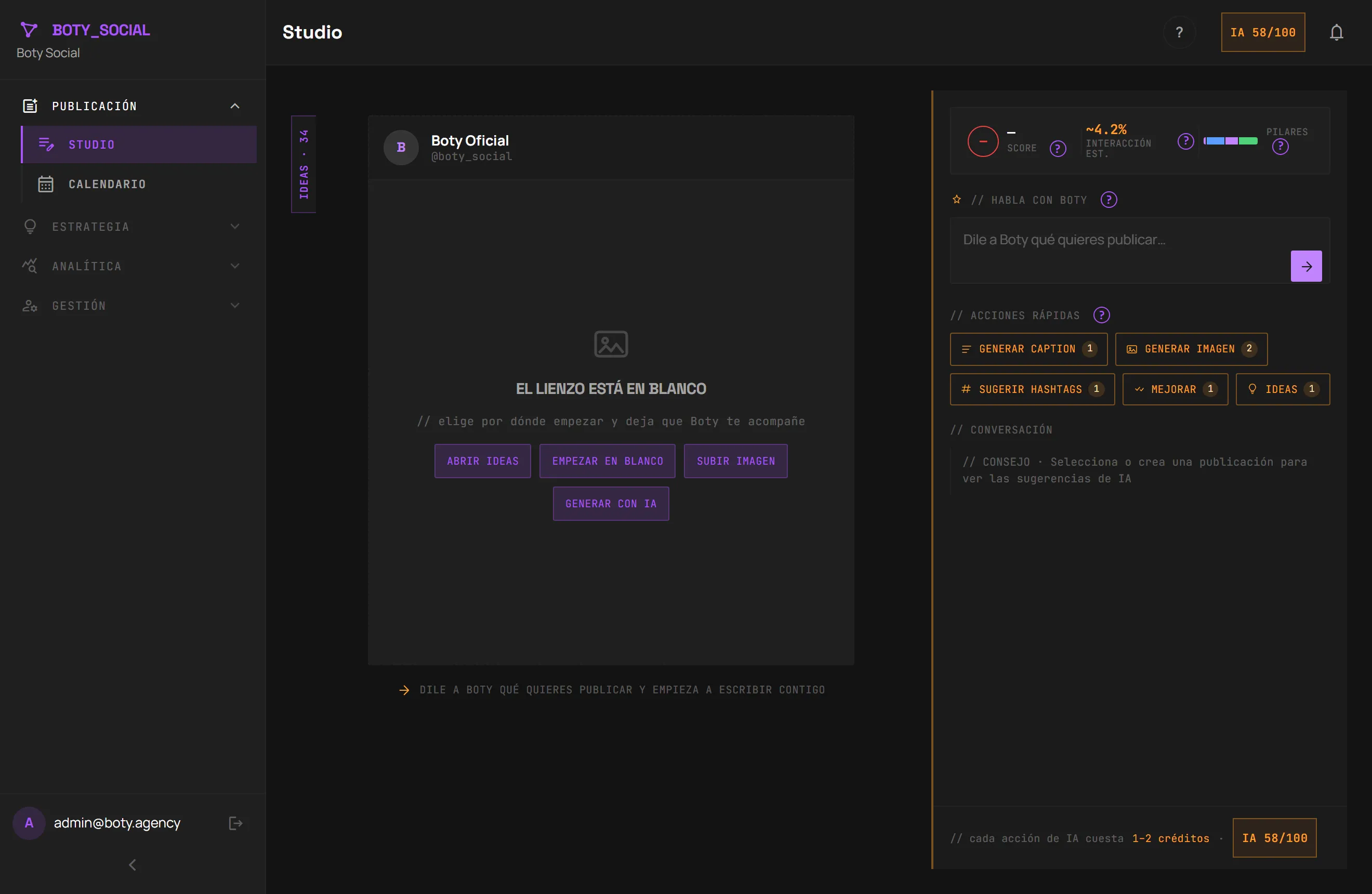
Generate text with AI
Section titled “Generate text with AI”In the Studio you can ask the AI to generate:
- Captions — the text of a post, written in your brand voice (it uses the Brand Brain). It appears fluidly as it’s written.
- Content ideas — several proposals based on your brand, your pillars and your recent posts.
- Trend remix — takes a detected trend and turns it into a post draft in your tone. It’s the way to go from “this is happening” to “I’m posting this”.
All of this is real AI (language models) and consumes credits (1 credit per text generation). Check your balance in Plans.
Per-platform variants
Section titled “Per-platform variants”Instagram and LinkedIn don’t call for the same tone or the same format. The composer lets you keep different texts for each network and warns you when the Instagram and LinkedIn variants differ.
Hashtags
Section titled “Hashtags”You can ask for hashtag suggestions with AI. They don’t deduct credits.
Generate images
Section titled “Generate images”The Studio can generate an image to go with your post. The image also takes your brand into account (colors, style, typography) so it fits.
The specific model depends on how the operator has the service configured:
MiniMax (image-01) or fal.ai (FLUX schnell).
The post “Score”
Section titled “The post “Score””You’ll see an “AI Score” and an engagement estimate next to your draft.
The AI always gives me something similar
Section titled “The AI always gives me something similar”If you try it in a local demo environment, the responses may seem repeated: it’s the development simulator, not the real AI. In production the text is generated with real models and varies between requests.
Última verificación: