Reports
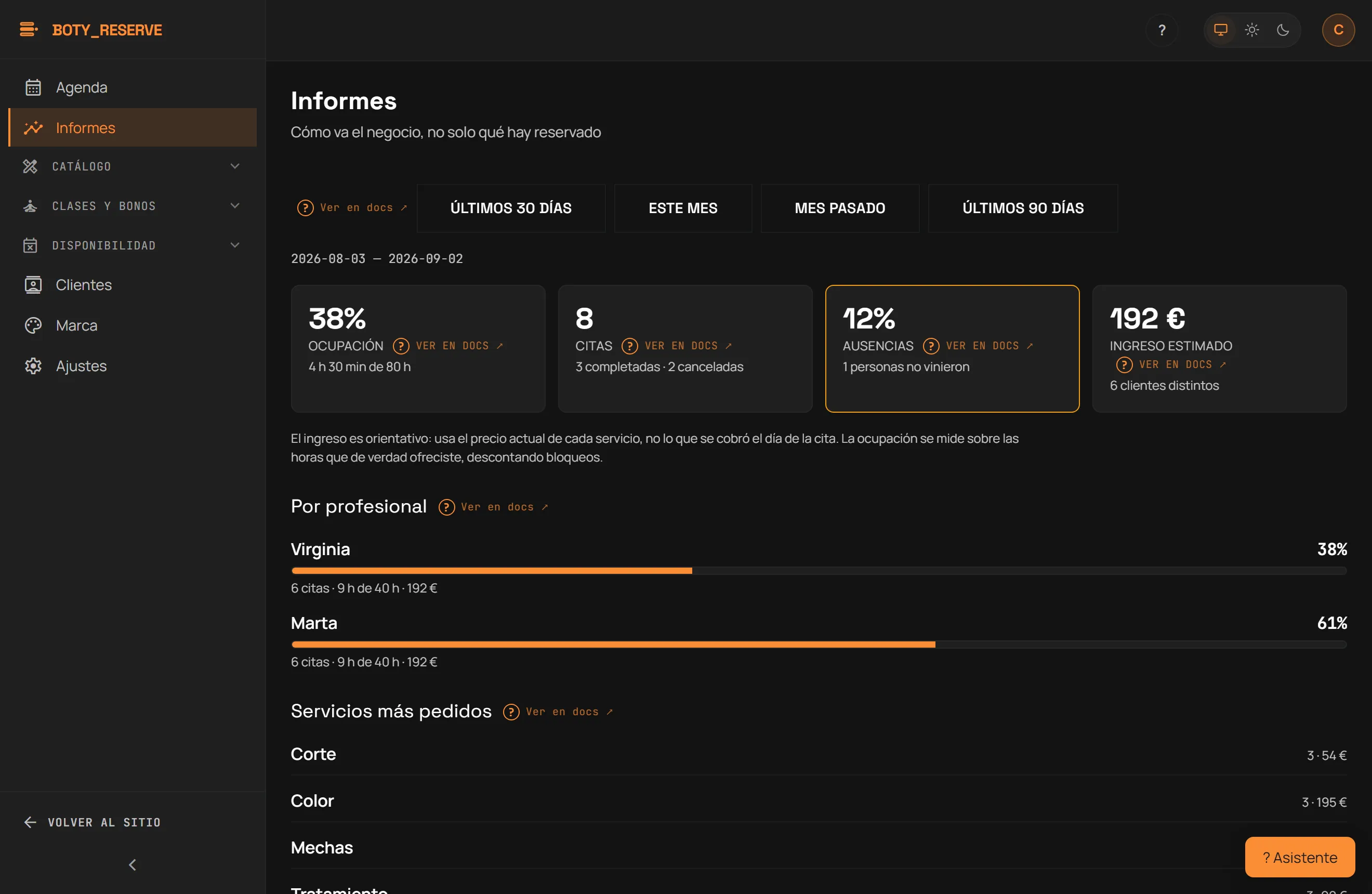
Route: /consola/informes. How the business is doing, not just what’s
booked. Reports are an Essential-and-above feature; on Free you see them
behind a lock. Pick a period with the presets “Últimos 30 días” (Last 30
days), “Este mes” (This month), “Mes pasado” (Last month), or
“Últimos 90 días” (Last 90 days).
The four cards
Section titled “The four cards”- Ocupación (Occupancy) — the percentage of the hours you genuinely offered (blocks already subtracted) that got booked.
- Citas (Appointments) — the total, with how many were completed and how many cancelled.
- Ausencias (No-shows) — how many people didn’t show up; the card flags itself when the no-show rate reaches 10% or higher.
- Ingreso estimado (Estimated revenue) — in euros, with the number of distinct clients served in the period.
Revenue is an estimate: it uses the service’s price at the moment the appointment was booked, so it does not account for discounts or payments made outside Reserve.
By professional and by service
Section titled “By professional and by service”Below the cards, two breakdowns:
- Por profesional (By professional) — an occupancy bar per person, with their appointments, booked minutes against available minutes, and their estimated revenue.
- Servicios más pedidos (Most-requested services) — each service with its appointment count and estimated revenue, ranked most to least requested.
Limits
Section titled “Limits”- Reports are viewed on screen. To take your data with you, download clients, services, team and appointments from Settings, under “Your data is yours”.
- Revenue is an estimate based on the price each appointment was booked at, never an accounting figure.
- A professional with no schedule configured shows no occupancy to measure, because there are no slots to offer.
Última verificación: