Connecting networks
To manage your accounts from Boty Social you need to connect them. Today you can connect Instagram and LinkedIn.
Available platforms
Section titled “Available platforms”| Network | How it connects | Account type |
|---|---|---|
| Via Meta | Instagram Business account | |
| Via OAuth | LinkedIn account |
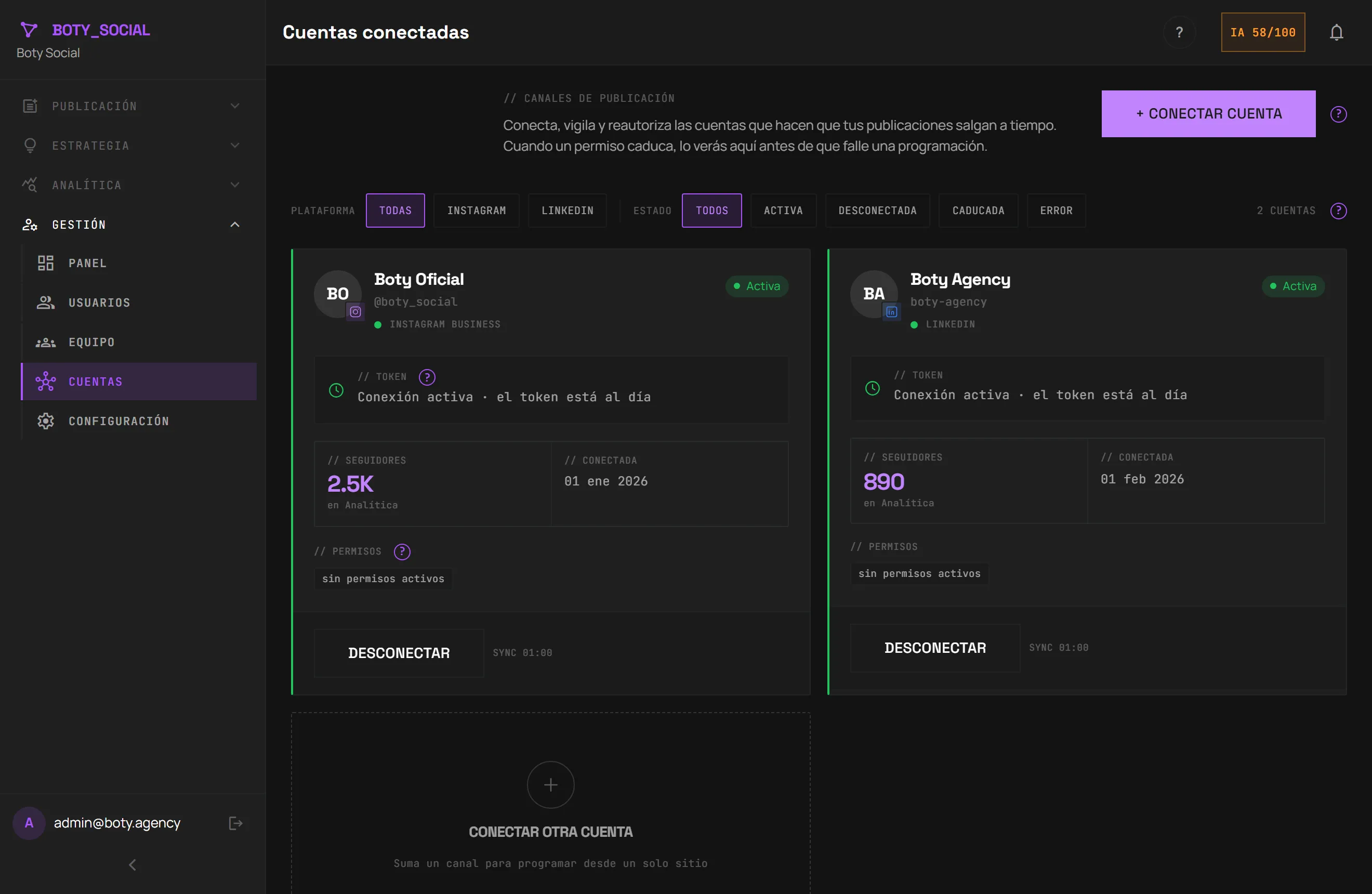
How to connect an account
Section titled “How to connect an account”- Go to Accounts within the admin panel.
- Click + Connect account.
- Choose Instagram or LinkedIn. We’ll take you to the platform’s authorization screen.
- Authorize the permissions. When you return, you’ll see the account connected with its status.
Boty only requests the permissions to publish and read statistics. You can revoke them at any time from the network itself or from Boty.
Token health (why you sometimes have to reauthorize)
Section titled “Token health (why you sometimes have to reauthorize)”Networks expire permissions every so often. On the Accounts page each card shows the token health:
- Active — all in order, you can schedule.
- Expiring / Expired — reauthorize soon so a scheduled post doesn’t fail.
- Error / Disconnected — reconnect the account.
When a permission expires, you’ll see it here before a scheduled post fails.
Disconnect an account
Section titled “Disconnect an account”From the account card you can Disconnect. We don’t delete the content you already published, but Boty will lose access to prepare new posts, and any you had scheduled will be paused until you reconnect.
Test accounts
Section titled “Test accounts”In test environments, administrators can create dummy accounts to experiment
without connecting a real network. They appear marked as TEST.
Última verificación: