Importing clients
Route: /consola/clientes. Three hundred clients in a spreadsheet don’t
get re-typed by hand: they get pasted.
To import your list
Section titled “To import your list”- Press “Importar clientes”, in the Clients header or, if the list is empty, in the empty state itself.
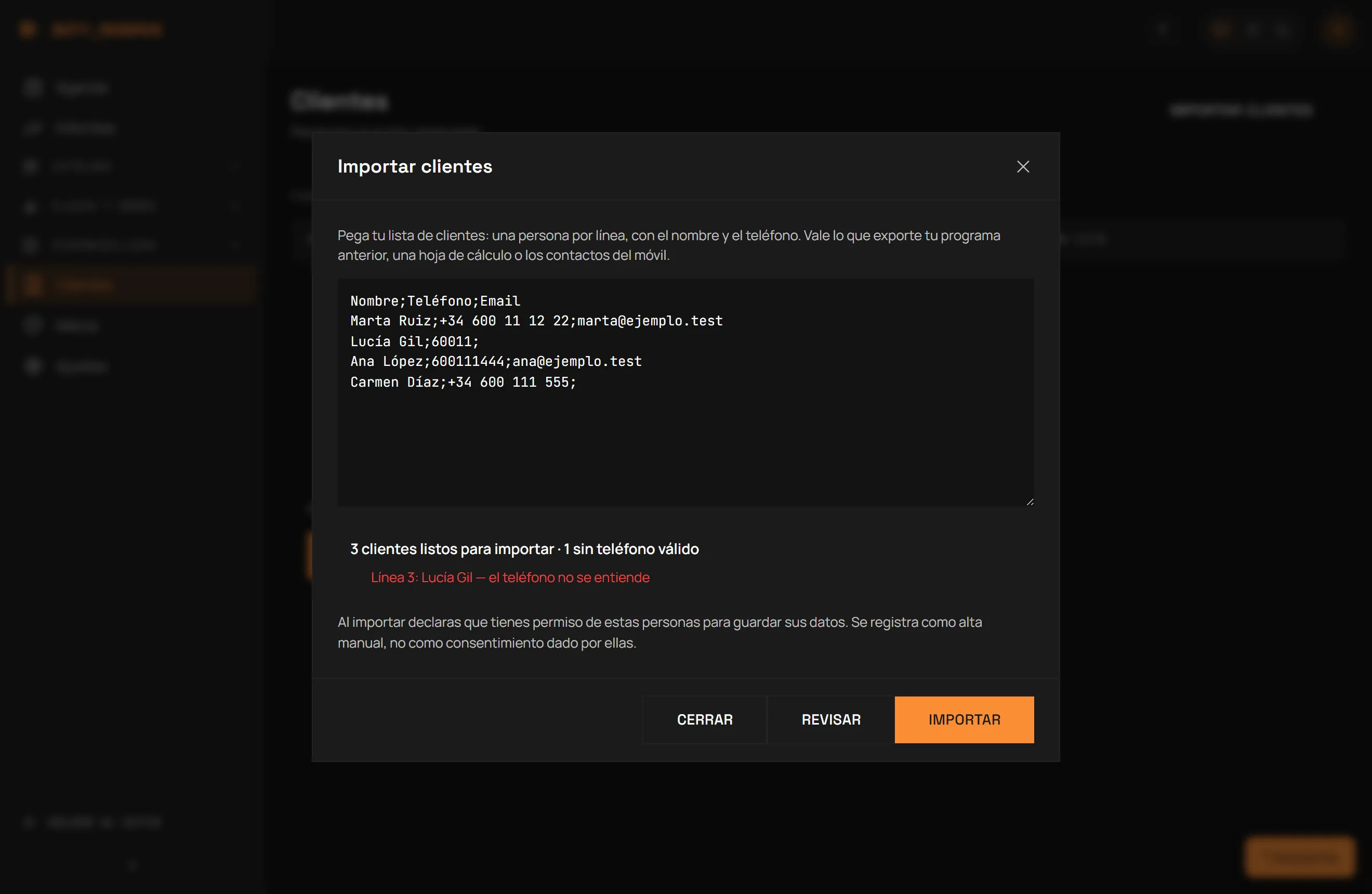
- Paste the text into the box — Reserve does not accept a file upload, only pasted text. One person per line, with name and phone, and email if you have it.
- Press “Revisar” (Review). This is a dry run: nothing is saved yet. You will see how many clients would go through, how many are duplicates, and how many have a phone number it could not understand, with the line number of each problem.
- Fix whatever needs fixing in the pasted text and press “Importar” to actually save it.
The format it accepts
Section titled “The format it accepts”- With a header (recommended if your export already has one): the
first line names the columns. Reserve recognises
nombre/name/clientefor the name;telefono/teléfono/phone/movil/móvilfor the phone; andemail/correo/e-mailfor the email — in any order. - Without a header: the order
name;phone;emailis assumed by position. - The separator (
;,,or tab) is auto-detected from the first few lines of the text — you don’t have to pick it. - A 9-digit phone number is read as Spanish and gets
+34added automatically; the review result flags which rows carry that guess, in case one was actually from another country. - An invalid email is dropped, but the client is still imported without it — a typo in the email does not lose the whole row.
- Each submission takes up to 2,000 rows. For more, paste the list in batches.
Getting the list out of your current platform
Section titled “Getting the list out of your current platform”Every platform exports differently, but the data you need is always the same: ask your current provider for an export of your clients with name, phone and email (usually called “export”, “download” or “backup” in their settings or client screen). With that file in hand, open it, copy the name and phone columns (and email if it has one), and paste them into Reserve’s import box.
Before you import
Section titled “Before you import”By importing you declare that you have those people’s permission to store their data. The import is recorded as a manual entry, not as consent given directly by the client — and it never overwrites real consent that already exists (for example, if that person has already booked on their own before). Only the owner or manager can import.
After you import
Section titled “After you import”Every imported client shows up in the Clients list like any other. From “Ver ficha” (View profile) you check their history, and “Eliminar datos” (Erase data) anonymises their name and phone permanently if they ask you to, without deleting their appointment history.
What you need
Section titled “What you need”- Pasted text (copied from a CSV or a spreadsheet), not a file.
- Up to 2,000 rows per import — more than that is done in batches.
- Each row needs a name and a valid phone number.
- Only the owner or manager can import.
Última verificación: